Overview
Allplan Profile Catalog – Global Shape Library for SDS2. SDS2 shipped mainly North-American shape libraries, but its customers increasingly detail projects all over the world. Manually importing shape tables from CSV files was slow and quickly went out of date.
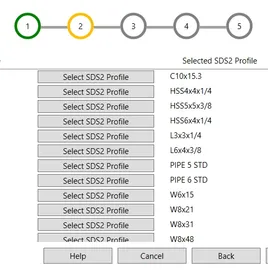
Apps By TAP built the Allplan Profile Catalog, a WPF desktop app that gives SDS2 users secure, one-click access to a live global profile library hosted on Allplan Bimplus. It is available in the SDS2 Toolbox.
The Challenge
- Worldwide shape access: SDS2 shipped mainly North-American libraries; global projects required EU, Indian and Brazilian profiles.
- Single source of truth: Shape tables changed frequently, so manual CSV imports went out of date fast.
- Secure entitlement: Only users with both an SDS2 Toolbox license and a valid Allplan Bimplus login could access the catalog.
- Zero-disruption UX: Importing shapes needed to feel like a native SDS2 action, not a separate workflow.
Our Approach
Standalone desktop app (WPF)
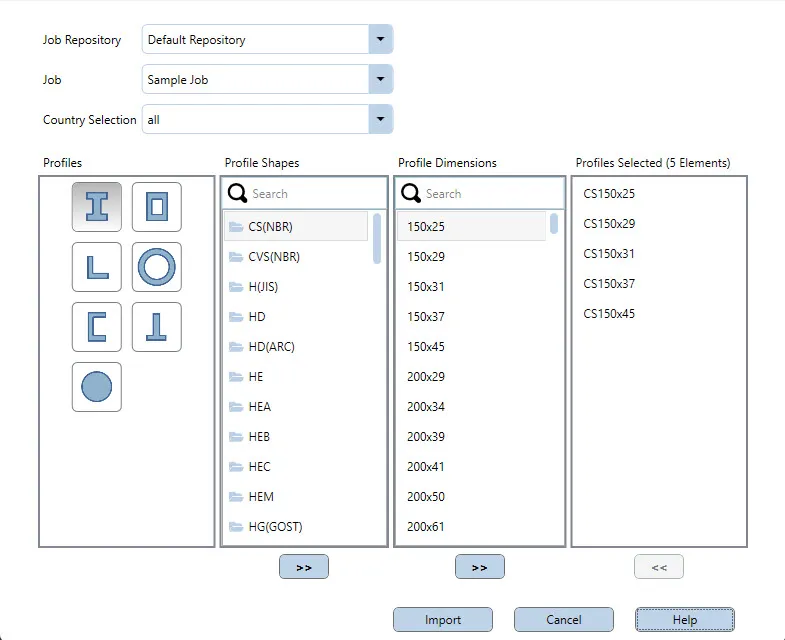
A modern, responsive UI offers search and region filters, so detailers find the right profile in seconds.
Dual-factor licensing
An OAuth flow confirms the user’s Allplan Bimplus credentials, and a local check verifies the SDS2 Toolbox license. Only then does the shape catalog unlock.
Live cloud catalog
Catalog metadata is pulled through the Bimplus API and cached locally. Users always see the latest published sizes without waiting on downloads.
One-click import
Selecting a profile writes it directly into the SDS2 model through the SDS2 .NET API.
Technology Stack
- C# and .NET – application logic and API integration.
- WPF (XAML) – the desktop interface. See our desktop software service.
- SDS2 .NET API – writing profiles into the model. Part of our Tekla & SDS2 plugin work.
- Allplan Bimplus REST API – the live global catalog.
- OAuth 2.0 license checks – secure entitlement across two vendors.
Results & Impact
Detailers now import region-specific shapes on demand, speeding international projects and ensuring models align with up-to-date standards. The catalog is one of several SDS2 and Allplan integrations by Apps By TAP, alongside SAF Import/Export and the SDS2-to-Allplan connection sync.