Overview
SAF Import / Export – Seamless Structural Analysis Format Exchange for SDS2. SDS2 is a leading steel-detailing platform, but it had no built-in way to read or create SAF (Structural Analysis Format) files—the open format engineers use to move models between analysis tools.
Apps By TAP built SAF Import/Export, a Windows desktop tool for SDS2 that brings SAF models in and sends SDS2 models out, without manual rework. It is published in the SDS2 Toolbox.
The Challenge
- Bidirectional SAF exchange: There was no built-in way to read or create .saf files inside SDS2.
- Model-data fidelity: Materials, profiles and coordinate systems had to survive the round trip without loss.
- User confidence: Detailers needed clear import logs and clash warnings to avoid “mystery geometry.”
Our Approach
A dedicated WPF tool
We built a focused WPF desktop application on the SDS2 .NET API, so users get a guided, familiar Windows experience instead of a script.
Smart mapping engine
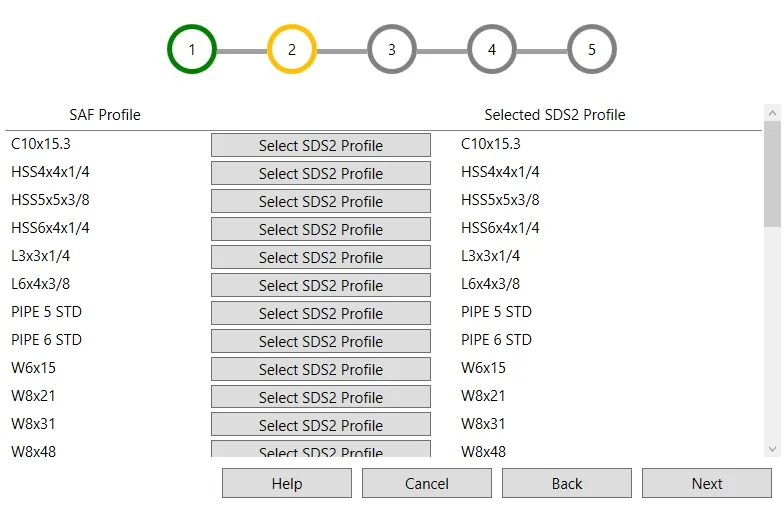
The engine auto-translates SAF sections to SDS2 shapes, flags unknown profiles and offers manual overrides. Mappings are cached, so each import gets faster and more consistent than the last.
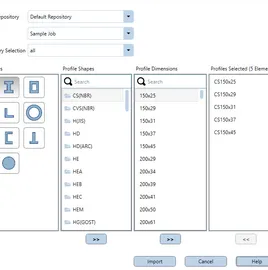
Import wizard with a preview
Users are guided through the import step by step. Before they press import, they see the expected changes, so nothing lands in the model by surprise.
Export wizard
A matching wizard writes SDS2 model data back to SAF for analysis software, completing the round trip.
Technology Stack
- C# – the application and mapping logic.
- WPF and XAML – a responsive desktop UI. See our desktop software service.
- SDS2 .NET API – reading and writing SDS2 model members. This is part of our Tekla & SDS2 plugin development work.
- SAF Open API – standards-based reading and writing of .saf files.
Results & Impact
Design teams now move structural models between analysis software and SDS2 with confidence, accelerating coordination and reducing re-work.