Overview
SDS2 Task Scheduler – Extensible Automation Engine for Steel-Detailing Workflows. SDS2 customers wanted routine production work—such as exporting IFC models—to run overnight without tying up a designer’s PC. They also wanted room to automate their own processes later.
Apps By TAP built the SDS2 Task Scheduler: a Quartz.NET-powered Windows background service paired with a dynamic WPF + Blazor Hybrid client and a NuGet SDK for custom tasks.
The Challenge
- “One-click” overnight IFC exports: Reliable headless processing was needed without tying up designer PCs.
- Open-ended automation: A plug-in architecture had to let customers add bespoke tasks.
- Power and usability: Task parameters change by job type, so the UI had to morph on the fly.
Our Approach
Service-first architecture
A Quartz.NET-powered Windows Hosted Service runs as a background daemon and executes jobs in isolation, ensuring a faulty task can’t crash the scheduler.
Dynamic client app
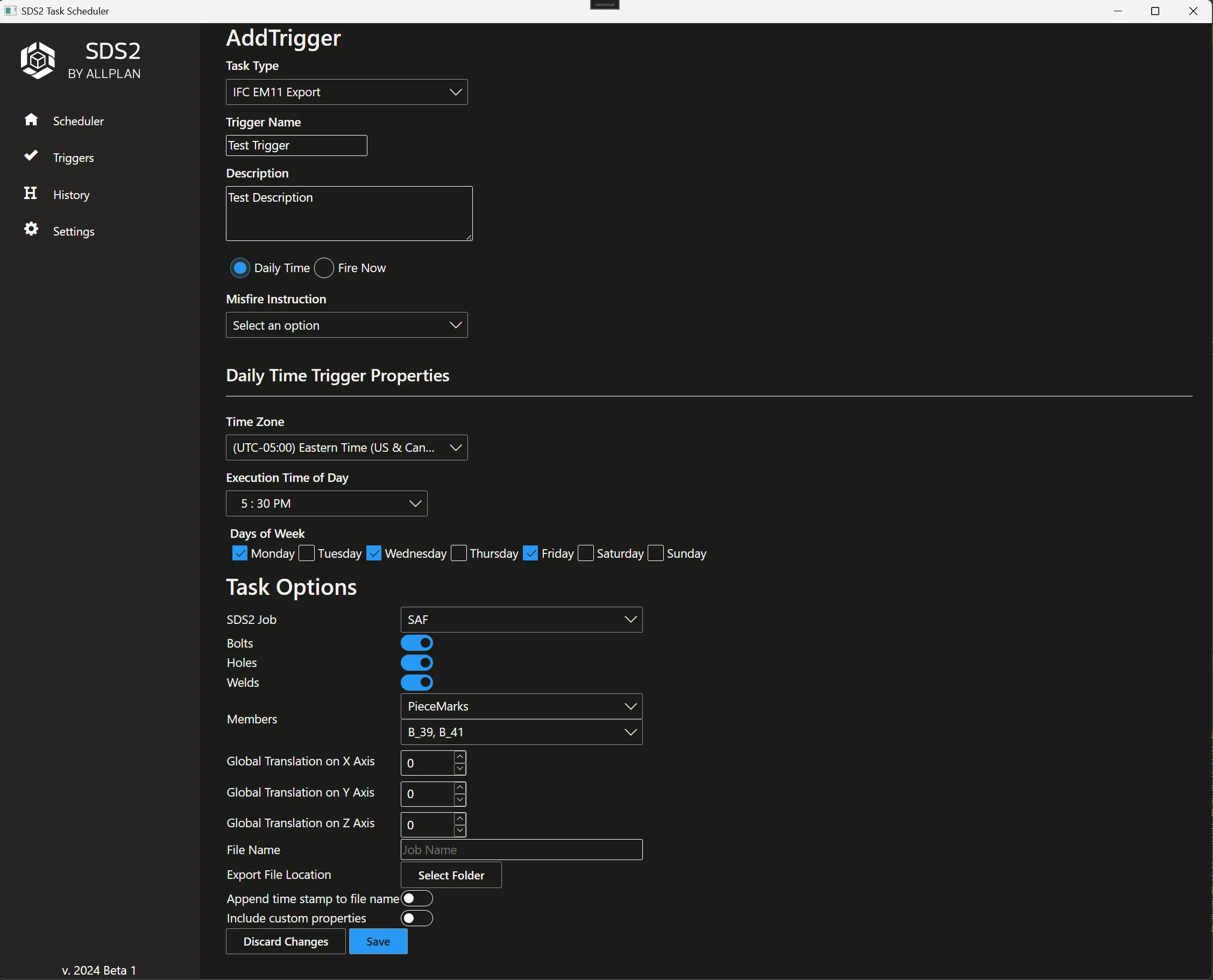
The WPF + Blazor Hybrid client renders forms driven by attributes on each task (via reflection), so every job gets the right inputs without hand-built screens.
Open extension model
A NuGet SDK supplies base classes and attribute-based metadata, letting users add new schedulable actions in minutes.
Robust job management
- Cron schedules, or fire a job now.
- Concurrency limits and retry policies.
- Rolling log files for quick triage.
Technology Stack
- C# Windows Hosted Service and Quartz.NET – dependable scheduling and execution.
- WPF + Blazor Hybrid – a native desktop shell with flexible web UI components. See our desktop software service.
- SDS2 .NET API – headless model operations such as IFC export. Part of our Tekla & SDS2 plugin work.
- NuGet extension SDK – a supported way for customers to build their own tasks.
Results & Impact
The Task Scheduler turns SDS2 into a 24/7 “factory” for drawings, reports and data hand-offs—while giving power users the freedom to script their own production line.